



The Unfiltered Reality of Modern Local Business
Every single day, thousands of local customers open Google Maps on their smartphones to make instant buying decisions. A shopper looking for a plumber, a salon, or a family dentist rarely scrolls past the first few results.
On top of that, buyers read feedback before spending a single dollar. The digital marketplace has transformed local commerce completely. Therefore, management of your online reputation is no longer an optional marketing activity. It is the core engine of local business survival.
The Impact of Google Reviews at a Glance
- 97% of buyers read online reviews before choosing a business
- 93% say online reviews directly influence purchase choices
- 88% rely on reviews to identify new local service providers
- 42% of local search clicks land in the Google Map Pack top 3
- 74% only trust reviews published within the last 30 days
- +25% click-through rate boost when moving from 3.5 to 4.5 stars
Recent consumer research highlights this dramatic shift in consumer behavior. Data from BrightLocal reveals that 97% of consumers read online reviews before choosing a local business. Additionally, 93% of consumers state that online reviews directly impact their purchase decisions.
Podium research confirms that reviews influence 88% of consumers in discovering a local business. Buyers are 2x more likely to choose a business based on reviews than customer loyalty, and 7.4x more likely than traditional advertising. The reason? Pure trust.
Clear comprehension of Google Reviews for Small Business is essential for local growth. Furthermore, customer ratings dictate who gets called and who gets ignored. An increase in your rating from 3.5 stars to 4.5 stars can lift your click-through rate by roughly 25%. On top of that, 74% of consumers only trust reviews that are less than one month old. Freshness matters immensely. Without ongoing feedback, your listing loses credibility fast.
However, many business owners still view review collection as a casual chore. They ask for feedback only when they remember. Later, they wonder why competitors capture all the leads. The truth is simple.
Modern search engines demand steady activity, authentic interaction, and total compliance with strict rules. This comprehensive guide breaks down the exact strategies, legal requirements, customer data, and software tools needed to master Reviews for Small Business in 2026.
The Science of Search: How Google Business Profile Rankings Work
Google evaluates local business listings through three fundamental pillars: Relevance, Distance, and Prominence. Relevance measures how closely a profile matches a searcher query. Distance calculates physical proximity to the user. Prominence measures how well known and trusted a business is across the web.
Google Local Map Pack Algorithm Weights:-
| Ranking Signal | Weight |
| Link Signals & Backlinks | 18.3% |
| External Location Signals | 15.5% |
| Google Business Profile Signals | 14.7% |
| On-Page SEO Signals | 12.0% |
| Review Signals (Volume, Velocity) | 9.8% – 10.0% |
| Personalization Signals | 8.4% |
| Behavioral & Mobile Signals | 6.9% |
| Social Media Signals | 5.8% |
Review signals play a major role in establishing prominence and relevance. Data from search engine ranking studies published by Moz and Podium shows that online review signals account for approximately 9.8% to 10% of the total weight in Google local search algorithms.
This metric incorporates total review quantity, review velocity, and review diversity. Therefore, small local businesses can regularly outrank huge national chains in local map searches by maintaining a fresh stream of reviews.
The 2026 Local Search Algorithm Shift
Google has modified how its local ranking algorithm evaluates profiles. Industry analysis from Search Engine Land indicates that Google now places greater weight on active engagement and current user interactions. Static history matters less than before. The algorithm prioritizes profiles showing real-time activity, quick review response times, and frequent post updates.
On top of that, local SEO analysts report a clear 30-day freshness pattern. Profiles that go roughly 30 days without new reviews, new photos, or account updates experience a noticeable drop in local search visibility. A business with 500 reviews collected two years ago will gradually lose ground to a newer competitor collecting 10 fresh reviews every single month. Current momentum beats historical volume every single time.
The Mechanics of Review Velocity
Review velocity measures the exact pace at which your business collects new feedback over time. Google tracks this pace constantly. A healthy review velocity means receiving a steady flow of 4 to 12 new reviews every month. This consistent pattern signals an active, thriving business.
On the contrary, collecting 40 reviews in a single week followed by three months of complete silence looks unnatural. Automated spam filters flag sudden spikes as prospective artificial campaigns. A focus on collecting at least one or two genuine reviews every single week keeps your profile permanently active and rewarded by local search algorithms.
The 2026 Policy Landscape: Google Updates and the FTC Consumer Review Rule
Regulatory authorities and search engine developers have clamped down hard on deceptive review practices. Business management today requires strict adherence to federal laws and platform policies. Violations of these rules carry severe financial and operational consequences.
The FTC Consumer Review Rule (16 C.F.R. Part 465)
The Federal Trade Commission enforced its Consumer Review Rule to eliminate deceptive marketing across digital platforms. The FTC issued warning letters confirming active enforcement and civil penalties reaching up to $53,088 per violation.
Prohibited Practices Under FTC 16 C.F.R. Part 465
| # | Prohibited Practice | Description |
| 1 | Fake or False Reviews | Unverified users or bot content |
| 2 | Incentivized Reviews | Discounts, gifts, or compensation |
| 3 | Undisclosed Insider Reviews | Staff or relative postings |
| 4 | Company-Controlled “Independent” Review Sites | Fake independent review platforms |
| 5 | Review Suppression / Gatekeeping | Filtering bad reviews |
| 6 | Fake Social Media Indicators & Artificial Followers | Artificial engagement or inflated metrics |
The FTC Consumer Review Rule explicitly prohibits six core activities:
- Fake or False Reviews: Creation or purchase of reviews from individuals who never used the service.
- Incentivized Reviews: Offers of discounts, gift cards, or free products tied expressly or implicitly to positive feedback.
- Undisclosed Insider Reviews: Employees, managers, or relatives posting reviews without clear, prominent disclosures.
- Company-Controlled Review Sites: Operation of fake independent review platforms.
- Review Suppression (“Gatekeeping”): Filtering unhappy customers away from public review pages while directing only happy customers to Google.
- Fake Social Media Indicators: Purchase of bot engagements or inflated metrics.
Additionally, the FTC established that businesses are held legally liable for deceptive practices conducted by third-party reputation management vendors. Disclaimers inside agency contracts do not protect the business owner.
Google April 2026 Review Policy Update and Gemini Enforcement
Google updated its Maps User Contributed Content Policy and activated Gemini AI pre-publication review screening. In 2025 alone, Google blocked or removed 292 million fake or non-compliant reviews. Fake review submissions rose by 21% year-over-year due to generative AI misuse.
Summary of Google April 2026 Policy Bans
| Policy Area | Description |
| Ban on Staff Quotas | No employee review targets or bonuses |
| Ban on Coached Content | Cannot ask for employee names or specific wording |
| Ban on On-Premises Requests | No kiosks or iPads on business Wi-Fi |
| Ban on Review Gating | All customers must receive the same link |
| Retroactive Sweeps | Old reviews violating rules can be purged |
Google updated its policy to explicitly forbid specific review collection practices:
- Staff Review Quotas: Businesses cannot require employees to hit review targets, run leaderboards, or tie staff bonuses to review numbers.
- Coached Review Content: Businesses cannot ask customers to include specific keywords, specific services, or staff member names.
- On-Premises Requests: Handing customers an iPad at checkout or asking them to scan a QR code while connected to store Wi-Fi triggers IP and location conflict signals. Gemini AI flags these reviews as submitted under pressure.
- Retroactive Profile Sweeps: Google re-evaluates historical reviews retroactively. Old reviews collected years ago through incentives or coached phrasing face removal.
Local business owners have felt the immediate impact of these AI enforcement sweeps. A Florida junk removal company owner, @MarkCass, documented losing ten legitimate reviews overnight due to automated pattern detection.
He recovered them only after filing detailed appeals backed by formal invoice records. Similarly, contractors and healthcare practices reported losing dozens of established reviews as Google updated its algorithms.
Feature Evolution: The Sunset of Q&A and the Rise of Ask Maps
Google overhauled how information is delivered on Business Profiles in 2026. Traditional features have been retired to make way for artificial intelligence tools.
Old GBP Features vs. 2026 AI Features
| Old Feature | New Feature |
| Public User Q&A Thread (Retired Dec 2025) | Ask Maps (Gemini Real-Time AI Search) |
| Native Google Business Profile Chat (Phased Out) | Direct WhatsApp & SMS Messaging Integration |
The Retirement of Profile Q&A
Google officially discontinued the classic Questions & Answers feature. Technical Q&A API access was disabled in November 2025, and public Q&A sections were removed from listings shortly after. Business owners can no longer pre-populate their profiles with manually written answers to common customer questions.
The Launch of Ask Maps
Google introduced Ask Maps, a Gemini-powered conversational tool that answers visitor questions in real time. When a customer asks whether your facility has outdoor seating, wheelchair access, or late-night service, Ask Maps generates a customized response instantly.
Ask Maps extracts business data from multiple profile elements:
- Selected categories and attributes
- Listed services and pricing items
- Official business hours and photo uploads
- Customer review text and sentiment
- Content from the business’s linked website
Detailed customer reviews carry expanded weight under Ask Maps. When customer reviews mention specific experiences, care quality, or precise services, Gemini AI utilizes those exact details to answer prospective customer inquiries. Therefore, encouragement of thorough review descriptions directly influences how AI search engines present your business.
Transition to WhatsApp Messaging
Google phased out its older native Chat feature in favor of direct WhatsApp and SMS integrations. Small businesses can now connect WhatsApp directly to their Google Business Profile. This update lets customers launch direct chat conversations inside an app they use daily.
What Customers Care About: Lessons from Analyzing Over 1 Million Google Reviews
A clear view of what drives customer satisfaction helps small businesses focus their operational efforts effectively. Lanc Local conducted a massive study analyzing 1,048,576 Google reviews from 6,183 small businesses across 681 industries. The findings reveal clear patterns regarding what customers praise and what triggers negative feedback.
Top Attributes Mentioned Across All Reviews
| Rank | Attribute | Percentage of Reviews |
| 1 | Staff Friendliness | 13.1% |
| 2 | Pricing Structure | 8.0% |
| 3 | Cleanliness | 6.7% |
| 4 | Kid / Family Friendliness | 6.4% |
| 5 | Ease of Purchasing | 5.6% |
| 6 | Staff Professionalism | 5.5% |
| 7 | Speed of Service | 5.2% |
| 8 | Staff Helpfulness | 5.0% |
The Dominance of Staff Friendliness
Staff friendliness emerged as the single most frequently mentioned attribute across all local industries, appearing in 13.1% of all customer reviews. Remarkably, friendliness is mentioned 63.6% more often than pricing. Five of the top twenty-five most mentioned attributes relate directly to employee conduct: Friendliness, Professionalism, Helpfulness, Efficiency, and Knowledge. Dedicated staff training yields an immediate impact on online feedback.
Drivers of 5-Star Reviews vs. 1-Star Reviews
The study measured which specific attributes appear disproportionately in 5-star reviews versus 1-star reviews.
Top Drivers of 5-Star Reviews (Ratio vs. 1-Star)
| Attribute | Difference |
| Staff Professionalism | +599.3% more frequent in 5-star |
| Product / Service Selection | +501.0% more frequent in 5-star |
| Fair Pricing | +434.4% more frequent in 5-star |
| Staff Helpfulness | +364.7% more frequent in 5-star |
| Staff Knowledge | +280.4% more frequent in 5-star |
| Brand Authenticity | +274.3% more frequent in 5-star |
Staff professionalism acts as the strongest primary driver of 5-star reviews, showing up 599.3% more often in 5-star feedback than in 1-star reviews. Broad product selection (+501.0%) and fair pricing (+434.4%) follow closely.
Top Drivers of 1-Star Reviews (Ratio vs. 5-Star)
| Attribute | Difference |
| Payment Process Issues | +1043.9% more frequent in 1-star |
| Inaccurate Online Info | +744.5% more frequent in 1-star |
| Poor Phone Etiquette | +537.6% more frequent in 1-star |
| Facility Navigation Issues | +510.7% more frequent in 1-star |
| Ambiguous Billing Practices | +502.0% more frequent in 1-star |
On the contrary, negative reviews stem heavily from transactional friction. Payment process problems represent the single largest trigger for 1-star reviews, appearing 1043.9% more frequently in negative feedback than in positive reviews. Inaccurate online information (+744.5%) and poor phone etiquette (+537.6%) represent major operational triggers for negative ratings.
Shifts in Customer Preferences
An examination of review data over a four-year period highlights changing consumer expectations. Mentions of a simple process (e.g., effortless checkout, clear instructions) grew by 162.4% over recent years. Similarly, requests for payment clarity increased by 159.2%. Customers demand transparent pricing and seamless transaction systems.
Most Important Attributes by Industry
| Industry | Most Important Attribute | Percentage |
| Restaurants | Taste & Food Quality | 18.9% of reviews |
| Retail Stores | Staff Helpfulness | 21.8% of reviews |
| Hotels | Room Cleanliness | 41.0% of reviews |
| Salons | Quality of Workmanship | 23.7% of reviews |
| Dentists | Staff Friendliness | 49.6% of reviews |
| HVAC Services | Technician Professionalism | 36.6% of reviews |
| Auto Dealers | Salesperson Helpfulness | 32.7% of reviews |
| Barber Shops | Haircut Cost | 27.8% of reviews – #1 factor |
Across all industries analyzed, 71.5% of all small business Google reviews are 5-star ratings, while 4-star ratings represent 14.1%. Most customers want to leave positive feedback when their basic expectations are met.
How to Set Up Google Reviews for Small Business: Step-by-Step Guide
A fully optimized Business Profile forms the foundation of your online reputation. A structured setup process prevents verification delays and profile suspensions. Here is how to set up google reviews for small business properly.
Google Business Profile Setup Checklist
| Checklist Item |
| ☐ Claim existing listing or create a new profile |
| ☐ Complete video or phone verification |
| ☐ Select primary category & specific secondary categories |
| ☐ Standardize NAP (Name, Address, Phone) across all web pages |
| ☐ Add 10+ high-resolution, original photos of team and location |
| ☐ List every service with detailed descriptions & clear pricing |
| ☐ Generate direct review link and official QR code |
Step 1: Claim and Verify the Listing
Search for your business name on Google Maps or visit the official profile manager. Claim your existing profile or enter your exact business details. Verification confirms your authorization to represent the company.
Google offers multiple verification methods, including phone calls, text messages, emails, and live video verification. Video verification requires recording a short continuous video showing street signage, interior operations, and official business documentation. Video verification has become the default requirement for new profiles.
Step 2: Select Strategic Categories
Primary category selection represents one of the single strongest ranking factors on Google Maps. Choose the most specific accurate primary category available. For example, a personal injury lawyer should select Personal Injury Attorney rather than the broad category Lawyer. Additionally, add relevant secondary categories to cover secondary services without excessive profile scope.
Step 3: Standardize Core Business NAP Data
Ensure your Name, Address, and Phone number (NAP) match identically across your website, social channels, and directory citations. Inconsistent suite numbers, varying street abbreviations, or conflicting local phone numbers weaken trust signals.
Step 4: Add Visual Content and Detailed Services
Profiles with original photos receive significantly more direction requests and phone calls. Upload at least 10 high-resolution photos showing your physical store, staff members, and real work results. Avoid generic stock photos. List every service individually, adding clear descriptions so search engine crawlers and Ask Maps AI can interpret your exact capabilities.
Step 5: Generate Your Official Review Link and QR Code
Log into your Business Profile dashboard on a desktop browser. Select Read Reviews, then click Get More Reviews. Copy the short review URL directly. Alternatively, right-click the generated QR code image to download it for print marketing materials.
How to Get Google Reviews for My Small Business: Compliant Conversion Strategies
Once your profile setup is complete, you must establish an automated, legally compliant feedback system. Success with how to get google reviews for my small business requires optimizing request timing, communication channels, and message copy.
Review Conversion Rates by Channel
| Channel | Conversion Rate |
| Phone Follow-Up Call | 30% – 40% |
| Automated SMS / WhatsApp Text | 25% – 35% |
| Counter QR Stand Display | 20% – 30% |
| Email Invites (B2B / Projects) | 10% – 20% |
| Paper Receipt Cards | 5% – 10% |
The Golden Two-Hour Rule
The exact moment of request determines conversion success. Vague review requests “whenever you have a moment” yield poor results. The optimal request window opens within two hours of service completion, while customer satisfaction remains at its peak.
Optimal request moments vary slightly by industry:
- Home Services (Plumbing, HVAC, Electrical): Send an automated text immediately after job completion and invoice signing.
- Salons, Spas, Healthcare: Send an automated SMS within 30 minutes of appointment conclusion.
- E-Commerce and Retail: Send an email or text 3 to 5 days after product delivery.
- B2B Professional Services: Request feedback immediately following a project milestone or positive performance review.
The Highest Converting Communication Channels
Different communication channels deliver wildly different conversion rates.
Automated SMS and WhatsApp messaging deliver exceptional performance, converting 25% to 35% of requests into published reviews. Data from Podium research indicates text messages achieve a 98% open rate, with 95% of messages opened within 3 minutes. Text messaging review requests generate completion rates up to 15x greater than traditional email invitations.
Compliant Text Message Template
“Hi {First_Name}, thank you for choosing {Business_Name} today!
Would you share your honest feedback with us? It takes 30 seconds:
{Review_Link} – Thanks, {Owner_Name}”
When drafting review request messages, follow three strict rules: keep copy under 40 words, include one specific detail, and provide a single link. Never offer gifts, discounts, or contest entries.
If you are wondering how do i get a google review for my business without risking policy violations, consistency is your answer. An automated workflow ensures every customer receives an identical, neutral request. This systematic approach solves how to get google reviews for my business while keeping your review velocity perfectly stable month after month.
Software Tools for Google Business Profile Management in 2026
Manual oversight of local rankings, post schedules, and geo-grid ranks becomes unmanageable as a business grows. Dedicated software platforms streamline operations while keeping your profile fully compliant.
Top GMB Software Tools in 2026 Compared
| # | Software | Primary Use |
| 1 | GMBMantra | Best Overall All-in-One GBP Platform |
| 2 | Podium | Best for SMS Review Requests & Customer Inbox |
| 3 | BrightLocal | Best for Agency White-Label Citation Reporting |
| 4 | Local Falcon | Best Standalone Geo-Grid Rank Tracking Maps |
| 5 | Whitespark | Best for Manual Citation Building & Audits |
| 6 | Birdeye | Best for Enterprise Reputation Analytics |
| 7 | GMB Everywhere | Best Free Chrome Extension for Quick Audits |
1. GMBMantra — Best Overall GMB Management Software
GMBMantra ranks as the top overall purpose-built Google Business Profile management platform in 2026. It consolidates geo-grid rank tracking, AI-powered Google Post scheduling, automated review request campaigns, profile change alerts, and competitor analysis into a single unified dashboard. It replaces multiple disjointed tool subscriptions, offering complete local SEO automation for single-location businesses and multi-location agencies alike.
2. Podium — Best for Reviews and SMS Customer Messaging
Podium specializes in text-based review generation and centralizing customer communication into a single inbox. It connects directly with business CRM platforms to send automated text invites instantly following customer visits. It is ideal for service businesses prioritizing SMS conversion and rapid customer communication.
3. BrightLocal — Best for Agency Reporting and Citation Tracking
BrightLocal remains a favorite for marketing agencies requiring white-label reporting, rank tracking, and citation audits. It excels at generating polished reports for clients, though it lacks AI-native post generation and fully automated review replies.
4. Local Falcon — Best for Geo-Grid Rank Visualization
Local Falcon pioneered geo-grid rank map tracking, visualizing exact local rankings across a grid of map coordinates. While its visual rank maps are outstanding, it does not include review management or posting features, serving purely as a specialized rank tracking tool.
5. Whitespark — Best for Citation Building
Whitespark focuses on high-authority local citation building and tracking foundational directory listings. It is highly effective for establishing clean citation profile data across directory ecosystems.
How to Handle Negative Reviews and Remove Fake Reviews
Negative feedback and fraudulent reviews occur in business. Professional resolution of these situations protects your online reputation and demonstrates accountability to prospective buyers.
Four-Step Negative Review Response Protocol
| Step | Action | Purpose |
| 1 | Apologize & Empathize | Acknowledge the experience calmly |
| 2 | Reinforce Standards | Restate your commitment to quality |
| 3 | Offer Resolution | Propose a clear, constructive next step |
| 4 | Move Offline | Provide direct phone/email to discuss privately |
Best Practices for Legitimate Reviews
Research indicates that 56% of consumers change their perspective on a business after reading owner review responses. Furthermore, 85% of consumers cite employee attitude as the primary driver behind both 1-star and 5-star reviews.
When responding to reviews, follow these proven protocols:
- Positive Reviews: Thank the reviewer by name, mention a specific detail, and express appreciation for their patronage. Avoid promotional upsells.
- Negative Reviews: Respond within 2 to 24 hours. Never attack the customer publicly. Apologize for their frustration, state your commitment to quality, and invite them to continue the conversation privately via phone or email.
Sample Compliant Negative Review Response
“Hello {Customer_Name}, thank you for taking the time to share your feedback. We are sincerely sorry to hear that your experience fell short of our usual standards. We would appreciate the opportunity to make things right. Please contact our manager directly at {Phone/Email} so we can assist you privately.”
Fake Review Detection and Removal
Not all negative reviews represent legitimate customers. Fake reviews posted by bots, competitors, or former employees violate Google content policies.
Identifying Signs of a Fake Review
- Reviewer profile has zero past history, photo, or activity
- No matching customer record in CRM, booking system, or invoices
- Review commentary is extremely vague with no specific service detail
- Multiple 1-star reviews arrive simultaneously from new accounts
Step-by-Step Escalation Guide to Remove Fake Reviews
Fake Review Removal Escalation Path
| Step | Action |
| Step 1 | Report review via 3-dot menu on Google Maps (“Spam”) |
| Step 2 | Wait 3 to 7 business days for initial automated evaluation |
| Step 3 | Access Google Review Management Tool (business.google.com/reviews) to track status and file official appeal |
| Step 4 | Contact Google Business Support directly via chat/call |
| Step 5 | Post case details in Google Business Help Community |
| Step 6 | Respond publicly stating no record of service exists |
Flag the Review:
Locate the review on Google Maps, click the three-dot menu icon, select Report Review, and choose Spam or Conflict of Interest. Submit the report.
Track Status via Review Management Tool:
Access Google’s formal Review Management Tool (business.google.com/reviews) to inspect review status. If status reads Decision Pending, allow 3 to 7 business days.
Submit a Formal Appeal:
If Google declines initial removal, use the Review Management Tool to file an official appeal. Select up to 10 reviews and submit supporting evidence, such as CRM screenshots proving no record of service exists. Note that you get only one formal appeal attempt.
Contact Google Business Support:
If the appeal gets rejected, open a direct support ticket at support.google.com/business. Request a callback or live chat session with a support representative. Provide invoice logs, direct URLs, and policy violation evidence.
Post Public Response:
While pursuing removal, post a calm, factual public response: “We take customer feedback seriously, but we have no record of this individual using our services. Please contact our office directly at {Phone_Number} to clear up this situation.”
FAQ’s
Why Are Google Reviews for Small Business Important?
Google Reviews for Small Business are important because they establish instant digital trust, boost local search rankings, and directly influence buying decisions. Research shows that 97% of buyers check online reviews before selecting a local vendor. Furthermore, review signals account for roughly 10% of Google local search algorithm weights, making reviews a primary factor in earning top spots on Google Maps.
How Can Google Reviews for Small Business Build Customer Trust?
Google Reviews for Small Business build customer trust by serving as authentic social proof from real consumers. Prospective buyers view detailed customer ratings as unbiased endorsements. Additionally, owner responses to positive and negative feedback demonstrate strong accountability, showing prospective clients that your business genuinely values quality service.
How Can a Small Business Get More Google Reviews?
A small business can get more Google Reviews by asking every customer for feedback within the golden two-hour window following service completion. Automated SMS text messages yield conversion rates of 25% to 35%, outperforming traditional email requests up to 15 times. Additionally, displaying official QR codes on receipts and counter signs makes leaving feedback fast and frictionless.
Do Google Reviews for Small Business Help With Local SEO?
Yes, Google Reviews for Small Business directly improve local SEO performance. Search engine algorithms measure review volume, review velocity, star rating averages, and review text keywords to determine map pack positioning. A consistent stream of fresh monthly reviews signals active operations, helping your business outrank local competitors.
How Many Google Reviews Does a Small Business Need?
A small business needs enough reviews to outperform direct local competitors while maintaining a healthy monthly review velocity. Focus on review consistency rather than a fixed total number. A steady flow of 4 to 12 fresh reviews every single month maintains high profile activity and protects your local ranking visibility.
How Can Small Businesses Respond to Google Reviews?
Small businesses can respond to Google Reviews by replying promptly, professionally, and politely to all feedback within 24 hours. Thank positive reviewers by name while mentioning a specific detail about their visit. For negative feedback, express empathy, state your commitment to service quality, and invite the individual to resolve the matter privately via phone or email.
Can Google Reviews Help a Small Business Attract New Customers?
Yes, Google Reviews help a small business attract new customers by capturing high-intent search traffic. Over 42% of local search clicks land directly in the top 3 Google Map Pack listings. Displays of high star ratings and positive customer feedback convince potential buyers to call your business immediately without visiting competitor websites.
How Should a Small Business Handle Negative Google Reviews?
A small business should handle negative Google Reviews by responding calmly and professionally without engaging in public arguments. Acknowledge the issue, offer a sincere apology when appropriate, and direct the customer to an offline channel to resolve the complaint. If a review is provably fake or fraudulent, report it to Google through the official Review Management Tool for policy evaluation and removal.
Concluding Word
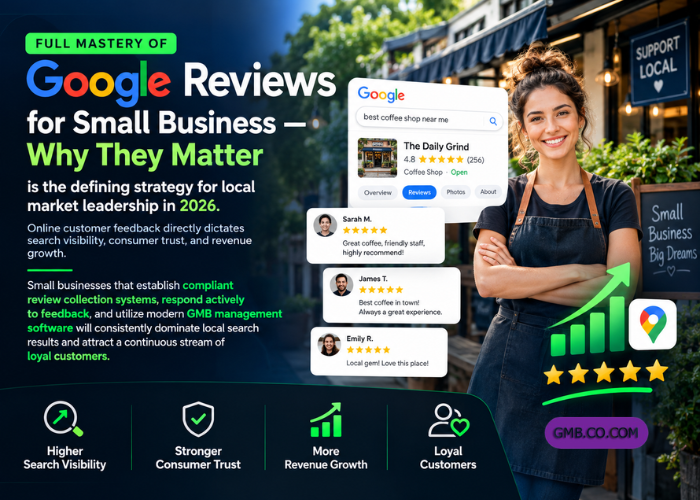
Full mastery of Google Reviews for Small Business — Why They Matter is the defining strategy for local market leadership in 2026. Online customer feedback directly dictates search visibility, consumer trust, and revenue growth.
Small businesses that establish compliant review collection systems, respond actively to feedback, and utilize modern GMB management software will consistently dominate local search results and attract a continuous stream of loyal customers.